

Ziyaretçiler için gizlenmiş link,görmek için üye olmalısınız!
Giriş yap veya üye ol.
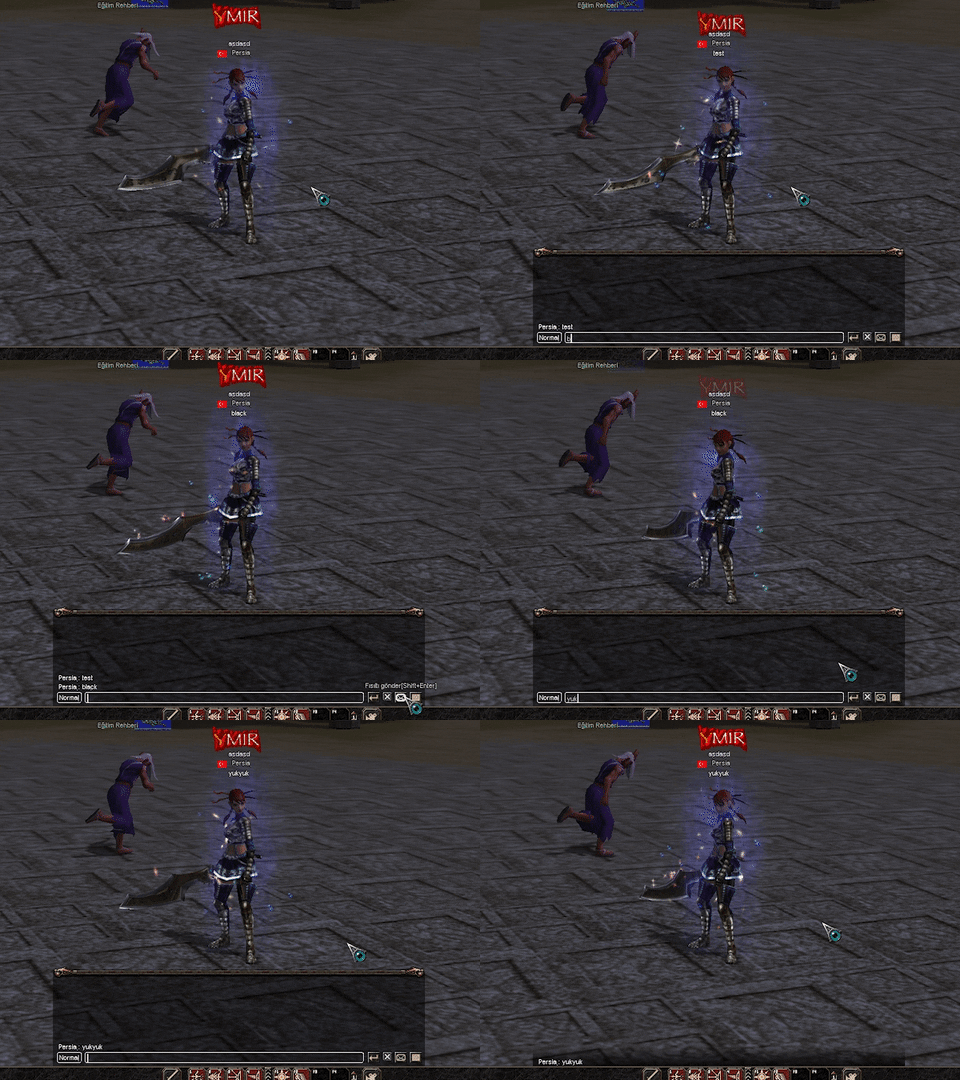
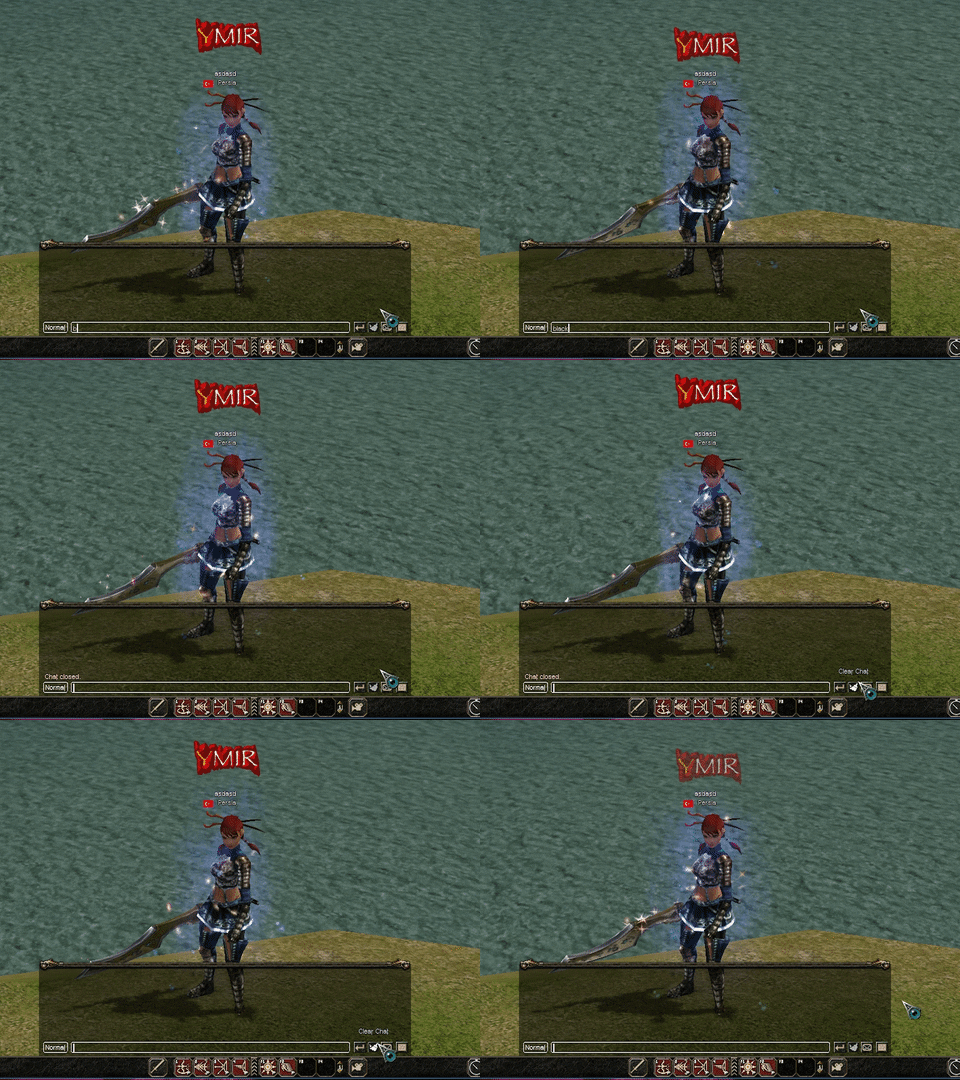
Clear-Chat Chat Temizleme Komutu Güncellemesi
Metin2 Lobby olarak, Metin2 özel sunucu geliştirme dünyasında sürekli yenilikler ve gelişmeler sunuyoruz. Bu yazıda sizlere Clear-Chat komutunun güncellemelerini detaylı şekilde aktaracağız. Bu komut, sunucularınızda bulunan oyuncuların sohbet geçmişini temizleyerek daha derli toplu bir oyun deneyimi sunmanızı sağlar.
Clear-Chat Nedir?
Clear-Chat, Metin2 özel sunucularda kullanılan bir sohbet temizleme komutudur. Oyuncuların sohbet ekranındaki tüm mesajları temizler ve daha temiz bir arayüz sağlar. Özellikle yoğun PvP sunucularında, chat ekranının temiz tutulması önemlidir. Çünkü çok fazla mesaj nedeniyle önemli bilgiler gözden kaçabilir. Bu komut sayesinde, hem adminler hem de oyuncular sohbet ekranını sıfırlayabilir.
Güncellenmiş Clear-Chat Komutunun Özellikleri
Yeni sürümde, Clear-Chat komutuna bazı geliştirmeler getirdik. Artık bu komut sadece sohbeti değil, aynı zamanda geçmiş mesajları da sıfırlar. Bu özellik sayesinde, sunucu yöneticileri daha kolay iletişim kurabilir. Ayrıca, komut artık hem Python hem de C++[/CODE] tabanlı sistemlerde sorunsuz çalışmaktadır.
Nasıl Kullanılır?
Clear-Chat komutunu kullanabilmek için öncelikle komutun doğru şekilde client src ve game src tarafına entegre edilmiş olması gerekir. Komutu çalıştırmak için, oyun içi sohbette /clearchat veya /temizle gibi tanımlanmış komutları kullanabilirsiniz. Sistem ayarlarına göre bu komut, sadece adminler için ya da tüm oyuncular için açık olabilir. Yanlış entegrasyon durumunda, komut çalışmayabilir veya hata verebilir.
Python GUI ve C++ Script Entegrasyonu
Clear-Chat sistemi, hem Python GUI üzerinden hem de doğrudan C++ sistem üzerinde çalışacak şekilde optimize edilmiştir. Bu sayede, farklı geliştirici stillerine sahip ekipler bu komutu kolayca entegre edebilir. Örneğin, uiscript üzerinden bir butonla tetiklenebilir veya doğrudan komut satırı üzerinden çalıştırılabilir. py root klasörlerine eklenen modül sayesinde, geliştiriciler hızlıca sistemi özelleştirebilir.
Sunucu Performansına Etkisi
Clear-Chat komutu, sunucu tarafında minimum işlem gücü tüketir. Ancak, yanlış kodlama veya eksik yapılandırma durumunda, sunucu performansı olumsuz etkilenebilir. Bu nedenle, komutu kullanmadan önce mutlaka test sunucularında denemek önemlidir. Metin2 server src dosyalarınızda yapılan değişikliklerin yedeklerini almayı unutmayın.
SEO Açısından Önemi
Clear-Chat gibi sistemler, Metin2 özel sunucular için kullanıcı deneyimini artırmada kritik rol oynar. Bu tür gelişmeler, oyuncuların sunucuya olan bağlılığını artırır. Aynı zamanda, Metin2 development konusunda içerik üretirken bu tür komutlar, arama motorlarında daha yüksek sıralamalar elde etmenizi sağlar. Metin2 lobby olarak, bu konulara dikkat ediyor ve kullanıcılarımızın bilgiye kolay ulaşmasını sağlıyoruz.
Clear-Chat Chat Cleaning Command Update
At Metin2 Lobby, we constantly bring innovations and improvements to the world of Metin2 private server development. In this article, we will detail the updates regarding the Clear-Chat command. This command allows you to clean the chat history for players on your servers, offering a cleaner and more organized gaming experience.
What Is Clear-Chat?
Clear-Chat is a chat cleaning command used in Metin2 private servers. It clears all messages from the player's chat screen, providing a tidier interface. Especially in high-intensity PvP servers, maintaining a clean chat screen is important. Too many messages can cause important information to be missed. Thanks to this command, both administrators and players can reset the chat display.
Features of the Updated Clear-Chat Command
In the new version, we've added some enhancements to the Clear-Chat command. Now, this command not only cleans the chat but also resets previous messages. With this feature, server admins can communicate more easily. Additionally, the command now works seamlessly in both Python and C++-based systems.
How to Use It?
To use the Clear-Chat command, it must first be correctly integrated into the client src and game src sides. To execute the command, you can type commands like /clearchat or /clean in-game chat. Depending on system settings, the command may be available only to admins or to all players. Incorrect integration may result in the command not working or causing errors.
Python GUI and C++ Script Integration
The Clear-Chat system has been optimized to run smoothly on both Python GUI and directly on C++ systems. Thus, teams with different development styles can easily integrate this command. For example, it can be triggered via a button through uiscript or executed directly from the command line. With a module added to py root folders, developers can quickly customize the system.
Impact on Server Performance
The Clear-Chat command consumes minimal processing power on the server side. However, incorrect coding or incomplete configuration may negatively affect server performance. Therefore, it is important to test the command on test servers before using it. Do not forget to back up your Metin2 server src files when making changes.
Importance from an SEO Perspective
Systems like Clear-Chat play a critical role in enhancing user experience for Metin2 private servers. Such developments increase player loyalty to the server. Additionally, when creating content about Metin2 development, such commands help achieve higher rankings in search engines. As Metin2 lobby, we pay attention to these aspects and ensure our users can easily access information.
