

Çoğu sunucuda aktif olarak bu sorun mevcut. Çözenler de kendi formülleri yada farklı fixler ile çözmüştür.
Genel olarak herkesin çözmesi için konuyu açıyorum. Daha önce açıldıysa RAPOR butonunu kullanıp bildirebilirsiniz.
Yabancı forumdan alıntıdır.
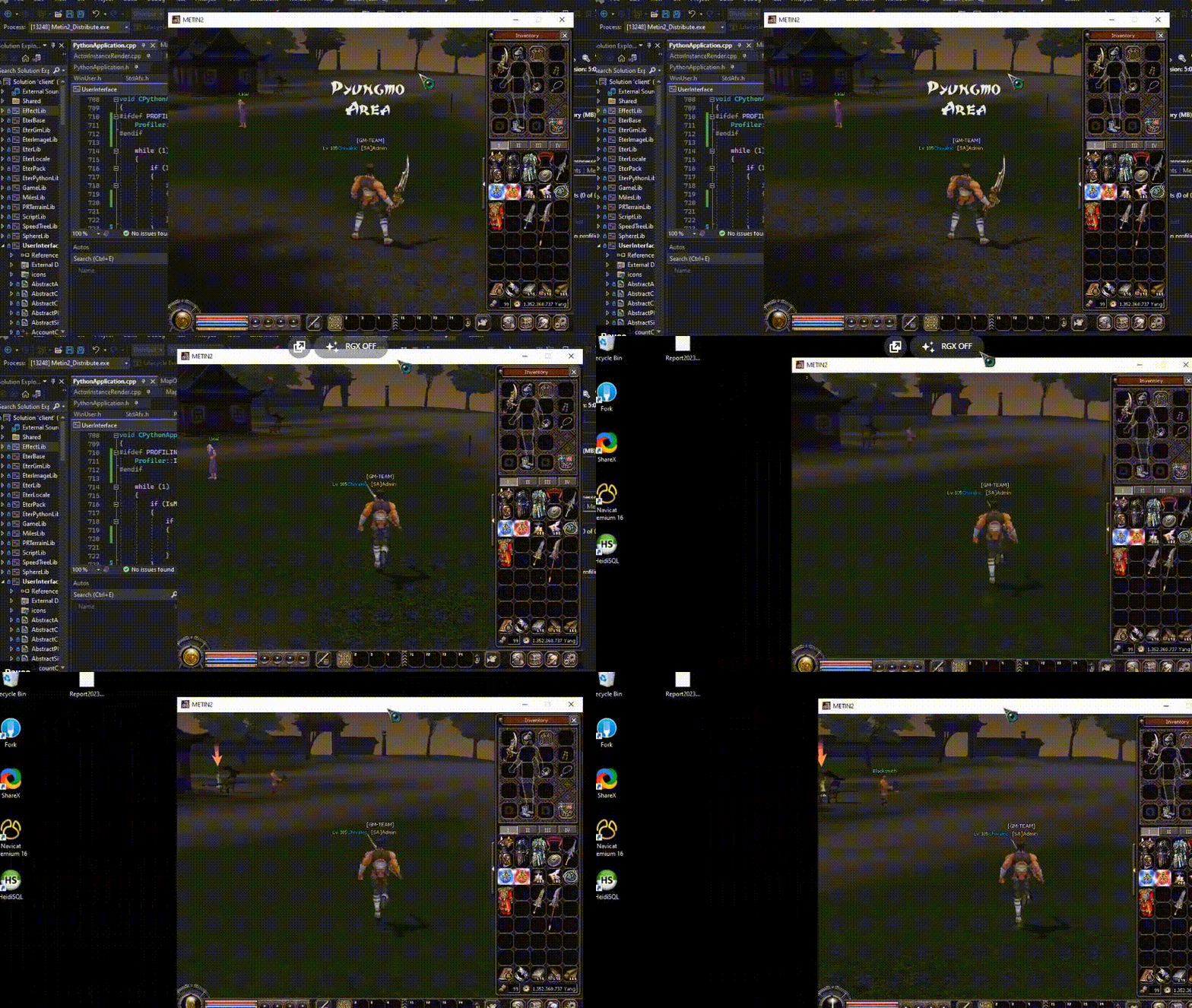
Genel olarak herkesin çözmesi için konuyu açıyorum. Daha önce açıldıysa RAPOR butonunu kullanıp bildirebilirsiniz.
Yabancı forumdan alıntıdır.
Ziyaretçiler için gizlenmiş link,görmek için üye olmalısınız!
Giriş yap veya üye ol.
Türkçeleştirip kullanabilirsiniz.
Client Sürüklerken Oyun Donma Fix
Metin2 özel sunucularında oyun sırasında yaşanan donmalar, özellikle client sürüklenirken meydana gelen gecikmeler, kullanıcı deneyimini ciddi anlamda olumsuz etkileyebilir. Bu tarz durumlar genellikle hatalı sistem yapılandırmasından, kaynak kodlardaki eksikliklerden veya donanım yetersizliğinden kaynaklanabilir. Ancak doğru adımlarla bu sorunları kolayca çözebilirsiniz.
Sorun Nedir?
Client sürüklerken oyun donması, genellikle grafik arayüzünde taşınan pencerelerin veya menülerin hareket ettirilmesi sırasında meydana gelir. Bu durumda oyun donar gibi görünür ve kullanıcı cevap veremez hale gelir. Bu, kullanıcıların oyundan atmasına veya istemcinin kapanmasına neden olabilir.
Olası Nedenler
- UI sistemlerindeki eksiklikler
- PyGUI ve UIScript arasında senkronizasyon bozukluğu
- Yüksek CPU tüketimi
- Hatalı event handling
- Kaynak kodlarda eksiklik veya hatalı implementasyon
Fix Uygulamaları
1. PyGUI ve UIScript Dosyalarını Kontrol Edin: PyRoot klasöründeki UIScript dosyalarında bulunan pencere yönetimi ve mouse eventleri kontrol edilmelidir. Özellikle WindowDrag class'ının doğru çalıştığından emin olunmalıdır.
2. Event Loop Optimize Edin: Client tarafında event_handling sistemini optimize ederek mouse drag gibi işlemlerde daha verimli bir çalışma sağlanabilir. Bu işlem genellikle Python kaynak kodlarında yapılır.
3. CPU Kullanımını Azaltın: Drag sırasında sürekli olarak çalışan render fonksiyonlarını optimize edin. Gereksiz tekrarlayan loop'ları kaldırarak CPU yükünü düşürebilirsiniz.
4. Multithreading Kullanımı: UI thread ve oyun thread'inin birbirine karışmaması için multithreading yapılarını gözden geçirin. Drag sırasında UI güncellemesi ayrı bir thread üzerinden yapılabilir.
Kaynak Kod Örneği (PyGUI):
```python
def OnMouseLeftButtonDown(self):
if self.is_draggable:
self.drag_start_pos = mouseInfo
self.is_dragging = True
def OnUpdate(self):
if self.is_dragging:
current_pos = mouseInfo
delta_x = current_pos[0] - self.drag_start_pos[0]
delta_y = current_pos[1] - self.drag_start_pos[1]
self.SetPosition(self.x + delta_x, self.y + delta_y)
self.drag_start_pos = current_pos
```
Server Tarafında Dikkat Edilmesi Gerekenler
Server-side event'ler ile client-side UI event'leri senkronize olmalıdır. Auth ve Game sunucularında da benzer donma sorunları yaşanıyorsa, event_loop optimizasyonu sunucu tarafında da yapılmalıdır. Özellikle PvP sistemlerinde bu durum daha sık görülür.
Test Süreci ve Geri Bildirim
Fix uygulandıktan sonra test süreci çok önemlidir. Beta kullanıcılarla test ederek, farklı sistemlerde deneyimlerini almalısınız. Bu sayede donma probleminin tamamen çözülüp çözülmediğini görebilirsiniz.
Sonuç
Client sürükleme esnasında meydana gelen donma problemleri, doğru analiz ve düzeltmelerle çözülebilir. Özellikle Metin2 özel sunucularında bu tür sistemsel problemlerin çözümü, oyuncu memnuniyetini artırmak için hayati öneme sahiptir. Bu fix uygulamaları ile hem kullanıcı dostu hem de stabil bir sistem kurabilirsiniz.
Client Drag Freeze Fix
Freezes that occur during gameplay on Metin2 private servers, especially those happening while dragging the client, can significantly affect user experience. These issues are usually caused by incorrect system configurations, missing elements in source codes, or insufficient hardware. However, these problems can be easily resolved with correct steps.
What Is The Problem?
Game freezing during client dragging typically occurs when moving windows or menus within the GUI. During this time, the game appears frozen, and the user becomes unresponsive. This may cause players to disconnect or even crash the client.
Possible Causes
- Deficiencies in UI systems
- Lack of synchronization between PyGUI and UIScript
- High CPU usage
- Incorrect event handling
- Missing or faulty implementation in source code
Fix Applications
1. Check PyGUI and UIScript Files: Check UIScript files located in the PyRoot folder for window management and mouse events. Ensure the WindowDrag class functions correctly.
2. Optimize Event Loop: Optimizing the event_handling system on the client side can result in more efficient performance during mouse drag operations. This process is generally done within Python source codes.
3. Reduce CPU Usage: Optimize render functions that run continuously during drag operations. Removing unnecessary loops can help reduce CPU load.
4. Use Multithreading: Review multithreading structures to ensure UI thread and game thread do not interfere with each other. UI updates during drag operations can be handled through a separate thread.
Sample Source Code (PyGUI):
```python
def OnMouseLeftButtonDown(self):
if self.is_draggable:
self.drag_start_pos = mouseInfo
self.is_dragging = True
def OnUpdate(self):
if self.is_dragging:
current_pos = mouseInfo
delta_x = current_pos[0] - self.drag_start_pos[0]
delta_y = current_pos[1] - self.drag_start_pos[1]
self.SetPosition(self.x + delta_x, self.y + delta_y)
self.drag_start_pos = current_pos
```
Considerations on Server-Side
Events on the server-side must be synchronized with UI events on the client-side. If similar freezing issues occur on the server, optimizing the event_loop on the server-side is also necessary. This issue is more common especially in PvP systems.
Testing Process and Feedback
The testing phase after applying fixes is very important. You should conduct tests with beta users and collect their experiences across different systems to see whether the freezing problem has been completely resolved.
Conclusion
Freezing problems occurring during client drag operations can be resolved with proper analysis and fixes. In particular, resolving such systemic issues in Metin2 private servers is vital for increasing player satisfaction. With these fix implementations, you can build both user-friendly and stable systems.
