

Forumda Paylaşıldımı Görmedim Eğer Paylaşıldıysa Raporlayınız.
İyi Kullanımlar
İyi Forumlar...
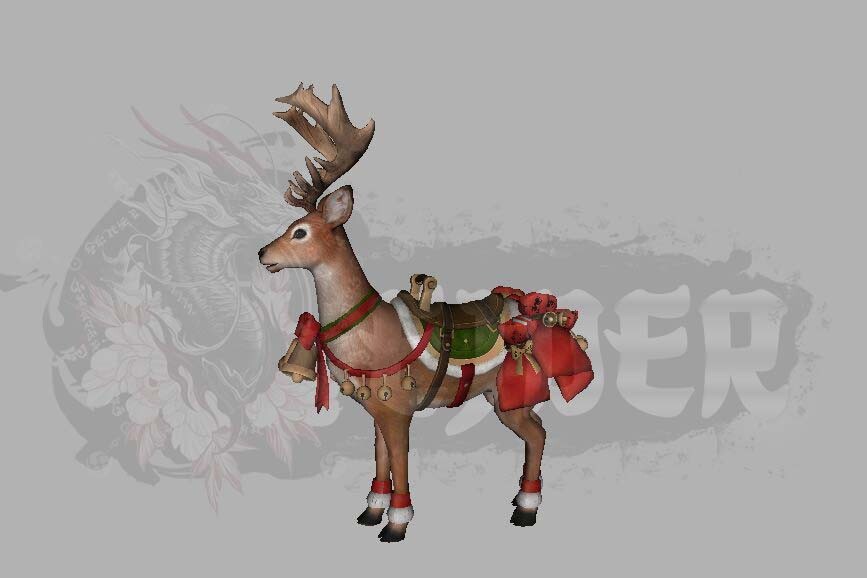
İyi Kullanımlar
İyi Forumlar...
Ziyaretçiler için gizlenmiş link,görmek için üye olmalısınız!
Giriş yap veya üye ol.
Ziyaretçiler için gizlenmiş link,görmek için üye olmalısınız!
Giriş yap veya üye ol.
EJDER-Binek [1]: Metin2 Oyununda Özel Modelleme ve Görsel Geliştirmeler
Metin2 oyunu, özellikle 3D modelleme ve görsel düzenlemeler konusunda oldukça geniş bir kitleye sahiptir. Bu bağlamda, EJDER-Binek [1] gibi özel NPC ve karakter modelleri, oyuncuların deneyimini ciddi anlamda zenginleştirebilir. Bu makalede, Metin2 3D modelleme dünyasında önemli bir yere sahip olan EJDER-Binek [1] binek modeli üzerinden özel model ekleme, karakter modelleme, texture düzenleme ve daha fazlasını ele alacağız.
Metin2 Binek Sistemine Genel Bakış
Metin2 oyununda binekler, oyuncuların harita üzerinde daha hızlı hareket etmelerini sağlayan özel sistemlerdir. Geleneksel atlar, filler, ejderler gibi farklı binek türleri bulunur. Özellikle EJDER-Binek [1] gibi nadir ve görsel açıdan etkileyici modellere sahip binekler, oyuncular arasında yüksek talep görür. Bu bineklerin özelleştirilmesi, Metin2 model edit işlemleri ile mümkündür.
3D Modelleme Araçları ve Formatlar
Metin2 3D model oluşturma sürecinde yaygın olarak 3ds Max ve Blender gibi yazılımlar kullanılır. Metin2 formatında model çalışırken, .gr2 ve .granny uzantılı dosyalar önem taşır. Bu formatlar, Granny3D motoru ile uyumlu çalışır. GR2 Export/Import işlemlerinde dikkat edilmesi gereken teknik detaylar vardır. Metin2 model import ve export işlemleri sırasında hata yaşamamak için modelin topolojisi, UV mapping ve bone yapısı doğru şekilde hazırlanmalıdır.
EJDER-Binek [1] İçin Özel Model Geliştirme
EJDER-Binek [1] modeli için öncelikle bir referans çizim veya konsept sanat belirlenmelidir. Daha sonra Blender ya da 3ds Max ortamında modelleme işlemi başlatılır. Bu süreçte mesh, bone ve rigging yapıları detaylıca tanımlanır. Modelin hareket sistemi doğru şekilde ayarlanmalıdır ki binek animasyonları doğal görünsün. Metin2 animation ve bone sistemleri bu noktada büyük rol oynar.
UV Mapping ve Texture İşlemleri
Metin2 texture ve skin işlemleri, modelin son görünümünü doğrudan etkiler. Metin2 UV Map hazırlarken dikkat edilmesi gereken bazı teknik kurallar vardır. Texture boyutları 1024x1024 ya da 2048x2048 px gibi standartlara uygun olmalıdır. Ayrıca, Metin2 custom model geliştirmede texture dosyaları doğru şekilde paketlenmelidir. EJDER-Binek [1] modeli için parlak, detaylı ve yüksek çözünürlüklü dokular kullanmak görsel kaliteyi artırır.
Modelin Oyuna Entegrasyonu
Oluşturulan EJDER-Binek [1] modeli, Metin2 model replace işlemleri ile oyuna entegre edilir. Bu işlem sırasında model pack dosyaları (.gr2, .dds, .msm vb.) doğru dizine yerleştirilmelidir. EterPack veya MartySama gibi araçlar bu süreci kolaylaştırabilir. Ayrıca, Metin2 development model sistemleri ile test ederek modelin sorunsuz çalıştığından emin olunmalıdır.
Sonuç
EJDER-Binek [1] gibi özel binek modelleri, Metin2 3D modelleme dünyasında yetenekli geliştiricilerin imza attığı özel eserlerdir. Doğru araçlar, bilgi ve dikkatle hazırlanan bu modeller, oyun içi deneyimi ciddi anlamda zenginleştirir. Metin2lobby.com olarak bu tür özgün içeriklere destek vermeye devam ediyoruz.
Dragon-Mount [1]: Special Modeling and Visual Enhancements in Metin2
Metin2 game has a large audience especially interested in 3D modeling and visual modifications. In this context, special NPC and character models such as Dragon-Mount [1] can significantly enrich the player experience. This article will examine the special model insertion, character modeling, texture editing, and more through the Dragon-Mount [1] model, which holds an important place in the Metin2 3D modeling world.
Overview of the Metin2 Mount System
In Metin2, mounts allow players to move faster across the map. There are various types of mounts such as traditional horses, elephants, and dragons. Particularly rare and visually impressive mounts like Dragon-Mount [1] are highly sought after by players. Customizing these mounts is possible through Metin2 model edit processes.
3D Modeling Tools and Formats
In creating Metin2 3D models, software such as 3ds Max and Blender are commonly used. When working with Metin2 formats, files with extensions .gr2 and .granny are crucial. These formats work compatibly with the Granny3D engine. Attention must be paid to technical details during GR2 Export/Import operations. During Metin2 model import and export processes, the topology, UV mapping, and bone structure of the model must be prepared correctly.
Developing a Special Model for Dragon-Mount [1]
Firstly, a reference drawing or concept art should be defined for the Dragon-Mount [1] model. Then, the modeling process starts in Blender or 3ds Max. At this stage, mesh, bone, and rigging structures are defined in detail. The movement system of the model must be set correctly so that mount animations appear natural. Metin2 animation and bone systems play a major role here.
UV Mapping and Texture Operations
Metin2 texture and skin operations directly affect the final appearance of the model. Certain technical rules must be followed when preparing Metin2 UV Maps. Texture sizes should comply with standards such as 1024x1024 or 2048x2048 px. Additionally, in developing Metin2 custom models, texture files must be packaged correctly. Using bright, detailed, and high-resolution textures for the Dragon-Mount [1] model increases visual quality.
Integration of the Model into the Game
The created Dragon-Mount [1] model is integrated into the game via Metin2 model replace operations. During this process, model pack files (.gr2, .dds, .msm etc.) must be placed in the correct directory. Tools such as EterPack or MartySama can ease this process. Moreover, testing the model using Metin2 development model systems ensures that it runs smoothly.
Conclusion
Special mount models like Dragon-Mount [1] are unique works signed by skilled developers in the Metin2 3D modeling world. Models prepared with the right tools, knowledge, and attention significantly enhance the in-game experience. As Metin2lobby.com, we continue to support such original content.
