

İNDİR:
Ziyaretçiler için gizlenmiş link,görmek için üye olmalısınız!
Giriş yap veya üye ol.
VirusTotaL:
Ziyaretçiler için gizlenmiş link,görmek için üye olmalısınız!
Giriş yap veya üye ol.
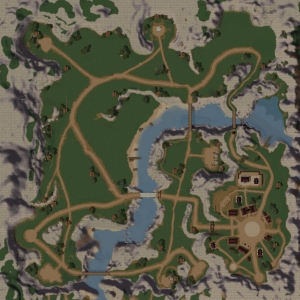
Kızıl İmparatorluğu - Mini Versiyon Yeni Hali
Metin2 dünyasında modelleme tutkunu geliştiriciler için heyecan verici bir haber! Kızıl İmparatorluğu adlı NPC modeli, mini versiyon olarak yeniden tasarlandı ve Metin2 sunucularınızda kullanılmaya hazır hale geldi. Bu yazıda, yeni halini kazanan Kızıl İmparatorluğu modeli hakkında detaylı bilgiler, kurulum süreci ve Metin2 özelinde nasıl entegre edileceği konusunda açıklamalar bulacaksınız.
Kızıl İmparatorluğu Nedir?
Kızıl İmparatorluğu, Metin2 oyununda bir NPC olarak yer alan, oyun içi hikâyeyi zenginleştiren önemli yapıların başında gelir. Orijinali oldukça detaylı ve görsel açıdan etkileyici olan bu model, sunucu geliştiricileri tarafından sıkça tercih edilir. Ancak daha önceki versiyonları bazen performans sorunlarına neden olabiliyordu. Bu sebeple light-weight (hafif) bir alternatif olan mini versiyon geliştirildi.
Mini Versiyonun Avantajları
Yeni mini versiyon sayesinde hem performans hem de görsellik dengesi sağlandı. Bu model; daha az poligon, optimize edilmiş UV haritalama ve textür dosyalarıyla gelmekte. Ayrıca GR2 formatında olup, Metin2 sistemine kolayca entegre edilebilir.
Model Detayları:
- Format: GR2
- Poligon Sayısı: Düşük
- UV Haritası: Optimize Edilmiş
- Animasyonlar: Mevcut
- Boyut: Mini
Nasıl Kurulur?
Metin2 sunucunuza Kızıl İmparatorluğu mini versiyonunu entegre etmek oldukça kolaydır. Aşağıdaki adımları takip ederek modeli sunucunuza hızlıca aktarabilirsiniz:
1. Model dosyasını (.gr2) sunucu klasörünüzdeki 'Data' klasörüne atın.
2. Gerekli textür dosyalarını 'Textures' klasörüne kopyalayın.
3. NPC ayarlarını 'Mob_proto' veya 'MonsterProto' dosyasına ekleyin.
4. Map dosyanızda bu modeli kullanmak istediğiniz konuma yerleştirin.
Model Editörleriyle Uyumlu mu?
Metin2 model editörleri arasında en çok kullanılanlar 3DS Max, Blender ve Granny3D araçlarıdır. Kızıl İmparatorluğu mini versiyonu, bu araçlarla tam uyumlu çalışmaktadır. Import ve export işlemleri kolayca gerçekleştirilebilir. Ayrıca Metin2 özelinde geliştirilen GR2 eklentileriyle de çalışmaktadır.
Sonuç
Kızıl İmparatorluğu mini versiyonu, Metin2 sunucularında görsel kaliteyi yüksek tutarken performans kaybını en aza indirmek isteyen geliştiriciler için ideal bir çözümdür. Hem 3D modelleme hem de sunucu tarafında kolay entegrasyon sunar. Bu model sayesinde sunucunuzda oyun içi atmosferi daha da artırabilirsiniz.
Metin2Lobby olarak bu gibi özgün modelleri siz oyuncular ve geliştiriciler için derliyoruz. Metin2 özelinde 3D içerik üretimiyle ilgileniyorsanız sitemizi takip etmeyi unutmayın!
Red Empire - Mini Version New Edition
Great news for Metin2 modeling enthusiasts! The NPC model named Red Empire has been redesigned as a mini version and is now ready for use on your Metin2 servers. In this article, you will find detailed information about the new look of the Red Empire model, installation process, and how to integrate it within Metin2.
What is Red Empire?
Red Empire is one of the key NPCs in the Metin2 game that enriches the in-game storyline. Its original version was visually impressive and highly detailed, often preferred by server developers. However, previous versions sometimes caused performance issues. Therefore, a light-weight alternative, the mini version, was developed.
Advantages of the Mini Version
Thanks to the new mini version, both performance and visual quality are balanced. This model comes with lower polygon count, optimized UV mapping, and texture files. Additionally, it is provided in GR2 format, making it easy to integrate into Metin2 systems.
Model Details:
- Format: GR2
- Polygon Count: Low
- UV Map: Optimized
- Animations: Available
- Size: Mini
How to Install?
Integrating the mini version of Red Empire into your Metin2 server is quite simple. Follow these steps to quickly transfer the model to your server:
1. Place the model file (.gr2) into the 'Data' folder of your server directory.
2. Copy the required texture files into the 'Textures' folder.
3. Add the NPC settings to the 'Mob_proto' or 'MonsterProto' file.
4. Place the model in your desired location in your map file.
Is It Compatible with Model Editors?
Among the most popular Metin2 model editors are 3DS Max, Blender, and Granny3D tools. The Red Empire mini version is fully compatible with these tools. Import and export operations can be performed easily. It also works with GR2 plugins developed specifically for Metin2.
Conclusion
The mini version of Red Empire is an ideal solution for developers who want to maintain high visual quality while minimizing performance loss on their Metin2 servers. It provides easy integration both in terms of 3D modeling and server-side implementation. With this model, you can further enhance the in-game atmosphere on your server.
At Metin2Lobby, we gather such original models for you, players and developers alike. If you are interested in 3D content creation for Metin2, don't forget to follow our site!
