

--------------------------------------------------------------------------
--------------------------------------------------------------------------
Video'da Sistemle İlgili Herşeyin Anlatıldığını Düşünüyorum.
Gelelim Sistemin Yapılışına.
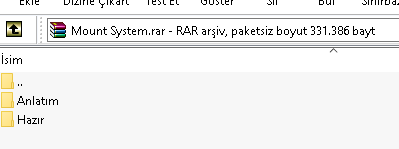
Anlatım Dosyaların İçerisinde Mevcuttur.
Ayrı Olarak Hazır Dosyalarda Verilmiştir Bilinçi Bir Şekilde Sökebilirsiniz
NOT: Sistem Ve Anlatım Türkçedir.
--------------------------------------------------------------------------
Video'da Sistemle İlgili Herşeyin Anlatıldığını Düşünüyorum.
Gelelim Sistemin Yapılışına.
Anlatım Dosyaların İçerisinde Mevcuttur.
Ayrı Olarak Hazır Dosyalarda Verilmiştir Bilinçi Bir Şekilde Sökebilirsiniz
NOT: Sistem Ve Anlatım Türkçedir.
--------------------------------------------------------------------------
Ziyaretçiler için gizlenmiş link,görmek için üye olmalısınız!
Giriş yap veya üye ol.
Ziyaretçiler için gizlenmiş link,görmek için üye olmalısınız!
Giriş yap veya üye ol.
Metin2'de Python ile Mount Choice Sistemi Geliştirme
Python dili, Metin2 özel sunucularında sistem geliştirmek için güçlü ve esnek bir araçtır. Bu yazıda, oyuncuların farklı mount (binici) sistemleri arasında seçim yapabildiği Mount Choice System adlı bir Python tabanlı sistemi nasıl geliştireceğimizi ele alacağız. Bu sistem, oyuncuların sahip oldukları mountları daha dinamik kullanmalarını sağlar ve oyun içi deneyimi zenginleştirir.
Mount Choice System Nedir?
Mount Choice System, oyuncuların oyun içi menüden sahip oldukları mountları seçip kullanabilmelerini sağlayan bir özelliktir. Geleneksel olarak, Metin2'de mount sistemleri doğrudan belirli itemlere bağlıdır. Ancak bu sistem sayesinde, oyuncu bir mount koleksiyonuna sahipse, bunları menü aracılığıyla seçip aktif edebilir. Bu, hem görsel çeşitlilik hem de kullanıcı deneyimi açısından büyük avantaj sağlar.
Sistem Gereksinimleri
Bu sistemin çalışması için aşağıdaki bileşenlere ihtiyacınız olacaktır:
- Metin2 Client (client src)
- Metin2 Game Server (server src)
- Python GUI (UIScript)
- Root Dosyaları (py files)
- Oyun içi item tanımları (mount item IDs)
Python GUI ile Arayüz Tasarımı
Öncelikle, oyuncuların mount seçimini yapacağı arayüzü tasarlamalıyız. Bu işlem için UIScript dosyası kullanılır. Arayüzde, mevcut mount listesi gösterilir ve oyuncu bir tanesini seçerek aktif edebilir. Arayüz, kolay kullanım ve estetik açıdan optimize edilmelidir.
Aşağıda basit bir UI yapısı örneği verilmiştir:
- Mount Listesi: Oyuncunun sahip olduğu mountları gösterir.
- Seç Butonu: Seçilen mountu aktif eder.
- Kapat Butonu: Menüyü kapatır.
Mount Aktivasyonu ve Sunucu Tarafı Entegrasyonu
Oyuncu bir mount seçtiğinde, bu bilgi sunucuya gönderilir. Sunucu tarafında, ilgili mount ID'si kontrol edilir ve oyuncuya aktif olarak uygulanır. Bu süreçte, sunucu kaynak kodlarında (C++), mount işlemlerini yöneten fonksiyonlar çağrılır.
Sunucu tarafında yapılması gereken temel adımlar:
- Oyuncunun sahip olduğu mountları kontrol etme.
- Geçerli mount ID'sini onaylama.
- Mount efektini oyuncuya uygulama.
Python Kod Örneği
Aşağıda basit bir Python GUI örnek kod parçası verilmiştir:
Kod:
def OnMountSelect(self):[BR][/BR] selected_mount = self.selected_mount_id[BR][/BR] if selected_mount:[BR][/BR] net.SendChatPacket('/mount ' + str(selected_mount))[BR][/BR]Bu kod, oyuncunun seçtiği mount ID'sini sunucuya gönderir ve sunucu tarafından işlenmesini sağlar.
Mount Choice Sisteminin Avantajları
- Oyunculara daha fazla özelleştirme imkanı sunar.
- Oyun içi deneyimi çeşitlendirir.
- Görsel olarak zenginleştirilmiş bir arayüz sağlar.
- Kolay entegrasyon ile sunucuya adapte edilebilir.
Sonuç
Mount Choice System, Metin2 özel sunucularında oyuncu memnuniyetini artırmak için harika bir özelliktir. Python ve C++ dillerini kullanarak bu sistemi geliştirmek oldukça kolaydır. Oyun içi GUI ile birlikte sunucu tarafında yapılacak küçük değişikliklerle, bu sistemi kendi sunucunuza entegre edebilirsiniz. Daha fazla sistem ve kaynak kod için Metin2Lobby sitesini takip edin.
Developing Mount Choice System with Python in Metin2
Python is a powerful and flexible tool for developing systems in Metin2 private servers. In this article, we will explore how to create a Mount Choice System using Python, which allows players to choose between different mount options from within the game. This system enables players to use their mounts more dynamically, enhancing the overall gameplay experience.
What is Mount Choice System?
The Mount Choice System allows players to select and activate one of their available mounts through an in-game menu. Traditionally, mount systems in Metin2 are tied directly to specific items. However, with this system, if a player owns multiple mounts, they can choose which one to use via a menu interface, offering both visual variety and improved user experience.
System Requirements
To implement this system, you will need the following components:
- Metin2 Client (client src)
- Metin2 Game Server (server src)
- Python GUI (UIScript)
- Root Files (py files)
- In-game item definitions (mount item IDs)
Designing the Interface with Python GUI
First, we must design the interface where players will make their mount selection. This is done using a UIScript file. The interface should display a list of available mounts, allowing the player to select and activate one. It should be designed for usability and aesthetics.
Here is a basic UI structure example:
- Mount List: Displays the mounts owned by the player.
- Select Button: Activates the chosen mount.
- Close Button: Closes the menu.
Mount Activation and Server-Side Integration
When a player selects a mount, that information is sent to the server. The server checks the mount ID and applies the mount effect to the player. This process involves calling functions within the server source code (C++) that manage mount operations.
Key steps on the server side:
- Check the mounts owned by the player.
- Validate the selected mount ID.
- Apply the mount effect to the player.
Sample Python Code
Below is a simple Python GUI code snippet:
Kod:
def OnMountSelect(self):[BR][/BR] selected_mount = self.selected_mount_id[BR][/BR] if selected_mount:[BR][/BR] net.SendChatPacket('/mount ' + str(selected_mount))[BR][/BR]This code sends the selected mount ID to the server for processing.
Advantages of Mount Choice System
- Offers players more customization options.
- Enhances the in-game experience by adding variety.
- Provides a visually enriched interface.
- Can be easily integrated into existing servers.
Conclusion
Mount Choice System is an excellent feature to increase player satisfaction in Metin2 private servers. Developing this system using Python and C++ is straightforward. Combined with in-game GUI and minor server-side modifications, you can integrate this system into your own server. For more systems and source codes, visit Metin2Lobby.
