


Sistem resimde görüldüğü üzere simyanızı taskbar üzerinden açıp kapamanıza yarıyor. Frozen filesinden tarafımca sökülmüştür.
İNDİRME LİNKİ:
Ziyaretçiler için gizlenmiş link,görmek için üye olmalısınız!
Giriş yap veya üye ol.
VİRÜSTOTAL:
Ziyaretçiler için gizlenmiş link,görmek için üye olmalısınız!
Giriş yap veya üye ol.
##KANIT##
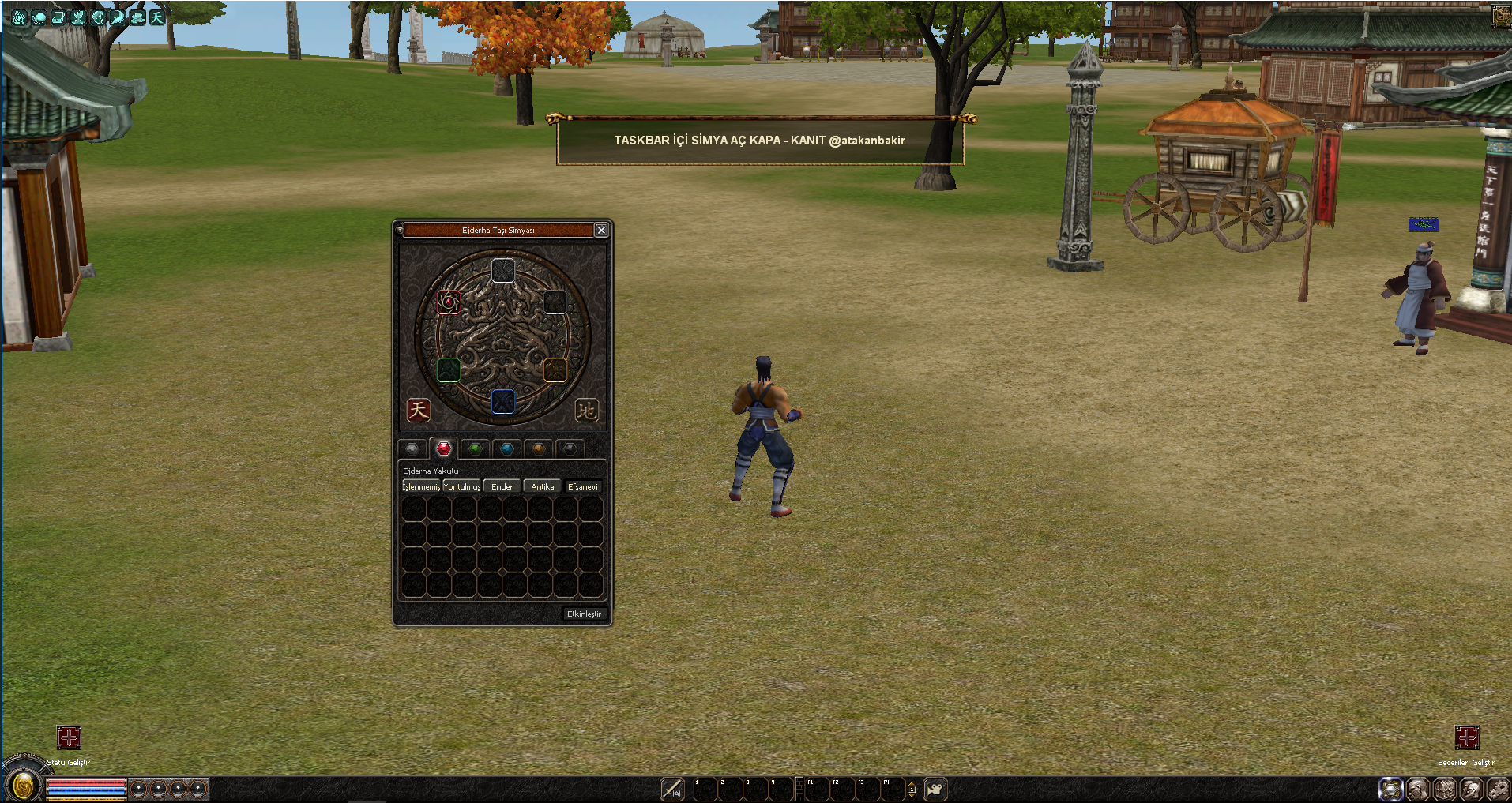
TASKBAR İÇİ SİMYA AÇ/KAPA BUTONU
Metin2 özel sunucularında kullanıcı deneyimini artırmak ve daha fazla interaktiflik sağlamak adına geliştirilen sistemlerden birisi de taskbar içi simya aç/kapat butonudur. Bu sistem sayesinde oyuncular, simya penceresini hızlıca açıp kapatarak zaman kazanabilir ve PvP savaşları sırasında daha hızlı kararlar verebilirler. Bu yazıda, Metin2 özel sunucu geliştiricileri için taskbar üzerinde simya menüsünü açıp kapatan bir buton sistemi nasıl geliştirilir, detaylı olarak ele alacağız.
Taskbar İçinde Simya Menüsü Nedir?
Metin2 oyununda simya, oyuncuların item'ları dönüştürmesine, güçlendirmesine ve farklı item'lara dönüştürmesine olanak tanır. Orijinal sistemde simya penceresi genellikle 'H' tuşuna basarak açılır. Ancak özel sunucularda bu işlem daha kolaylaştırılabilir. Taskbar üzerine konumlandırılan özel bir buton ile simya menüsü açılıp kapanabilir. Bu da oyuncuların savaş sırasında hızlı hareket etmesini sağlar.
Simya Aç/Kapa Butonunun Avantajları
Bu sistem özellikle PvP odaklı sunucularda büyük avantaj sağlar. Örneğin bir savaş sırasında hızlıca simya menüsünü açarak güç artırıcı item'ları kullanmak veya dönüşüm yapmak, savaşın sonucunu etkileyebilir. Ayrıca bu buton ile birlikte kullanıcı arayüzü daha sade ve kullanışlı hale getirilebilir. Taskbar üzerinden doğrudan erişim sağlanarak mouse tıklamaları azaltılır.
Sistem Geliştirme Süreci
Taskbar içi simya butonu, genellikle Python GUI (PyGUI) ile geliştirilen UI Script dosyalarında tanımlanır. Bu işlem için öncelikle 'uiscript.py', 'game.py', ve 'root' klasörlerinde gerekli düzenlemeler yapılmalıdır. Simya penceresini kontrol eden fonksiyonlar, buton ile ilişkilendirilir. Bu sistemde Py Root dosyalarında gerekli fonksiyonlar tanımlanarak butonun tıklanma durumu yakalanır ve simya menüsü açılır ya da kapatılır.
Geliştirme İçin Gerekli Dosyalar
- uiscript.py
- game.py
- root/uiinventory.py
- system/taskbar.py
C++ Kaynak Kodlara Entegrasyon
Eğer sunucu tarafında C++ tabanlı geliştirme yapıyorsanız, simya sistemine özel bir fonksiyon yazarak Python tarafına aktarabilirsiniz. Bu sayede hem sunucu hem de istemci tarafında tutarlı bir yapı kurabilirsiniz. Özellikle Metin2 server src dosyalarında bu tür sistemler oldukça yaygındır ve özel sunucuların gelişmiş sistemler barındırmasında önemli rol oynar.
Özel Sunucularda Görsellik ve Kullanım Kolaylığı
Taskbar içi simya butonu aynı zamanda görsellik açısından da faydalıdır. Butonun tasarımı, sunucunuzun temasına göre özelleştirilebilir. Örneğin butona özel bir simge atanabilir, renkler değiştirilebilir. Bu sayede kullanıcı dostu bir arayüz oluşturulur ve oyuncular daha kolay navigasyon sağlar.
Sonuç
Taskbar içi simya aç/kapat butonu, Metin2 özel sunucularında kullanıcı deneyimini ciddi anlamda artıran küçük ama etkili bir sistemdir. Hem PvP hem de PvE odaklı sunucularda kullanılabilir. Sistemi geliştirmek isteyen geliştiriciler için PyGUI ve C++ bilgisi oldukça önemlidir. Bu tür küçük ama kullanıcı dostu sistemler, sunucunuzun diğerlerinden fark yaratmasını sağlayabilir.
ALCHEMY OPEN/CLOSE BUTTON INSIDE THE TASKBAR
One of the systems developed to enhance user experience and provide more interactivity in Metin2 private servers is the open/close button for the alchemy window inside the taskbar. This system allows players to quickly open and close the alchemy window, saving time and making faster decisions during PvP battles. In this article, we will examine in detail how to develop a button system that opens and closes the alchemy menu on the taskbar for Metin2 private server developers.
What Is Alchemy Window Inside The Taskbar?
In Metin2, alchemy allows players to transform, enhance, and convert items. In the original system, the alchemy window is typically opened by pressing the 'H' key. However, in private servers, this process can be simplified. A special button placed on the taskbar allows the alchemy window to be opened or closed. This enables players to act more quickly during battles.
Advantages of Alchemy Open/Close Button
This system provides significant advantages especially in PvP-focused servers. For example, quickly opening the alchemy window during combat to use power-increasing items or perform transformations can affect the outcome of the battle. Additionally, with this button, the user interface can become simpler and more user-friendly. By providing direct access through the taskbar, mouse clicks are reduced.
System Development Process
The taskbar alchemy button is usually defined in UI Script files developed with Python GUI (PyGUI). For this process, necessary adjustments must be made in 'uiscript.py', 'game.py', and 'root' folders. Functions controlling the alchemy window are linked to the button. In this system, functions containing commands to open or close the alchemy window are defined in Py Root files and triggered when the button is clicked.
Required Files for Development
- uiscript.py
- game.py
- root/uiinventory.py
- system/taskbar.py
Integration With C++ Source Codes
If you are developing on the server-side with C++, you can write a custom function for the alchemy system and pass it to the Python side. This way, you can maintain consistency on both server and client sides. Such systems are quite common in Metin2 server src files and play an important role in allowing private servers to host advanced systems.
Visuals and Usability in Private Servers
The taskbar alchemy button is also visually beneficial. The design of the button can be customized according to your server's theme. For example, a custom icon can be assigned to the button, or its colors can be changed. This creates a user-friendly interface, allowing players easier navigation.
Conclusion
The alchemy open/close button inside the taskbar is a small but effective system that significantly enhances user experience in Metin2 private servers. It can be used in both PvP and PvE-focused servers. For developers looking to implement such systems, knowledge of PyGUI and C++ is essential. Such small yet user-friendly systems can help your server stand out from others.
